
TNG Access Control — Palm Vein System
Biometric access control system built from scratch for The New Gym. Palm vein recognition with sub-1s matching across 50K profiles, 24/7 uptime, multi-branch sync, OTA updates, per-device web UI, and a Windows enrollment app.
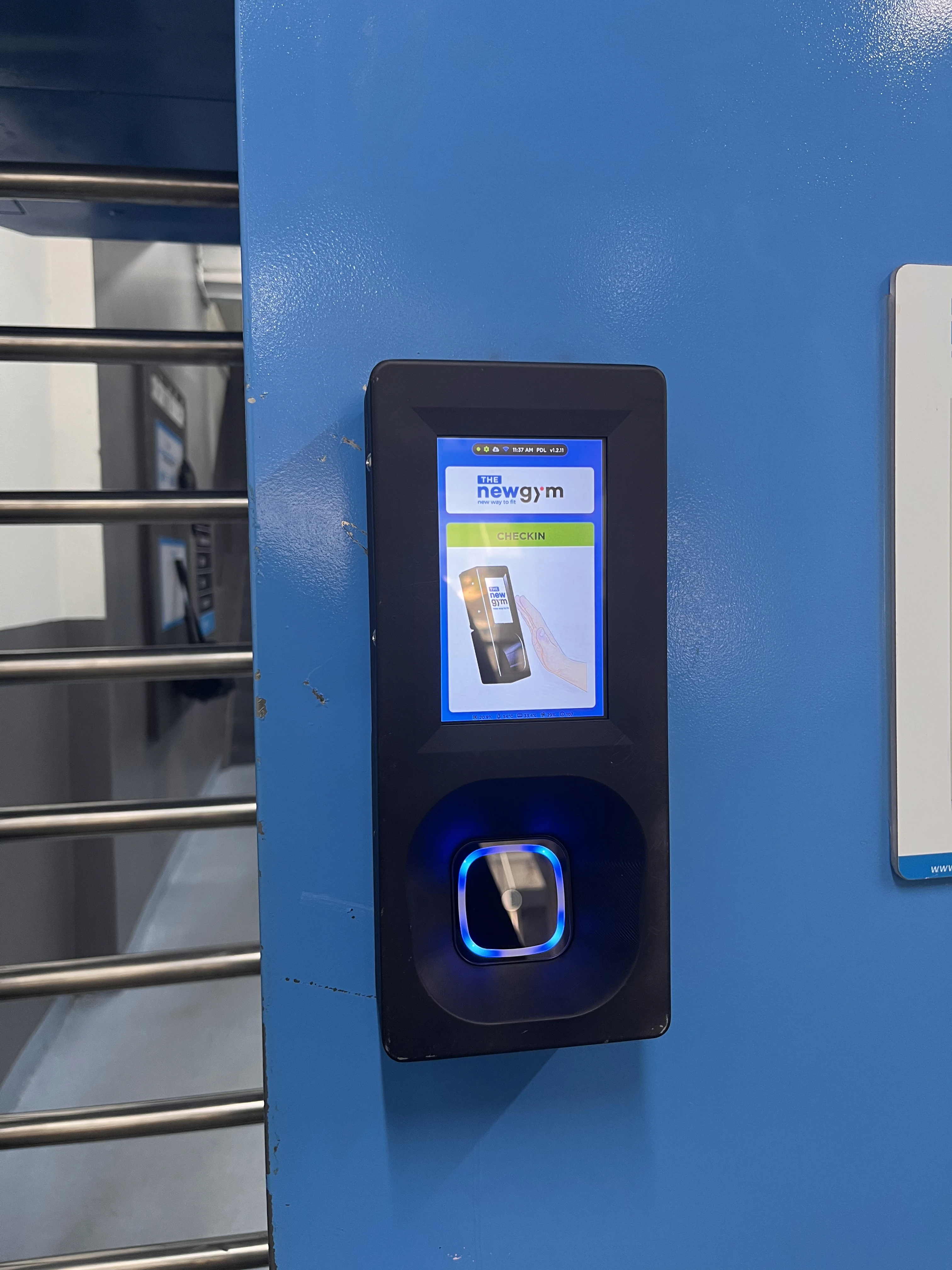
TNG Access Control — Palm Vein System
A biometric access control system built from scratch for The New Gym — using palm vein recognition to log member check-ins across multiple branches.
My Role
I built this entire system solo, from zero — hardware integration, embedded web UI, desktop enrollment app, backend sync service, and OTA update pipeline. No prior codebase, no template.
Overview
Traditional gym check-in relies on membership cards or QR codes — easy to forget, easy to share. This system replaces all of that with palm vein recognition: members simply place their hand over the sensor and the door opens in under a second.
The biometric engine supports up to 50,000 member profiles per device while maintaining sub-second matching speed. The system runs 24/7 without downtime — no hangs, no manual restarts.
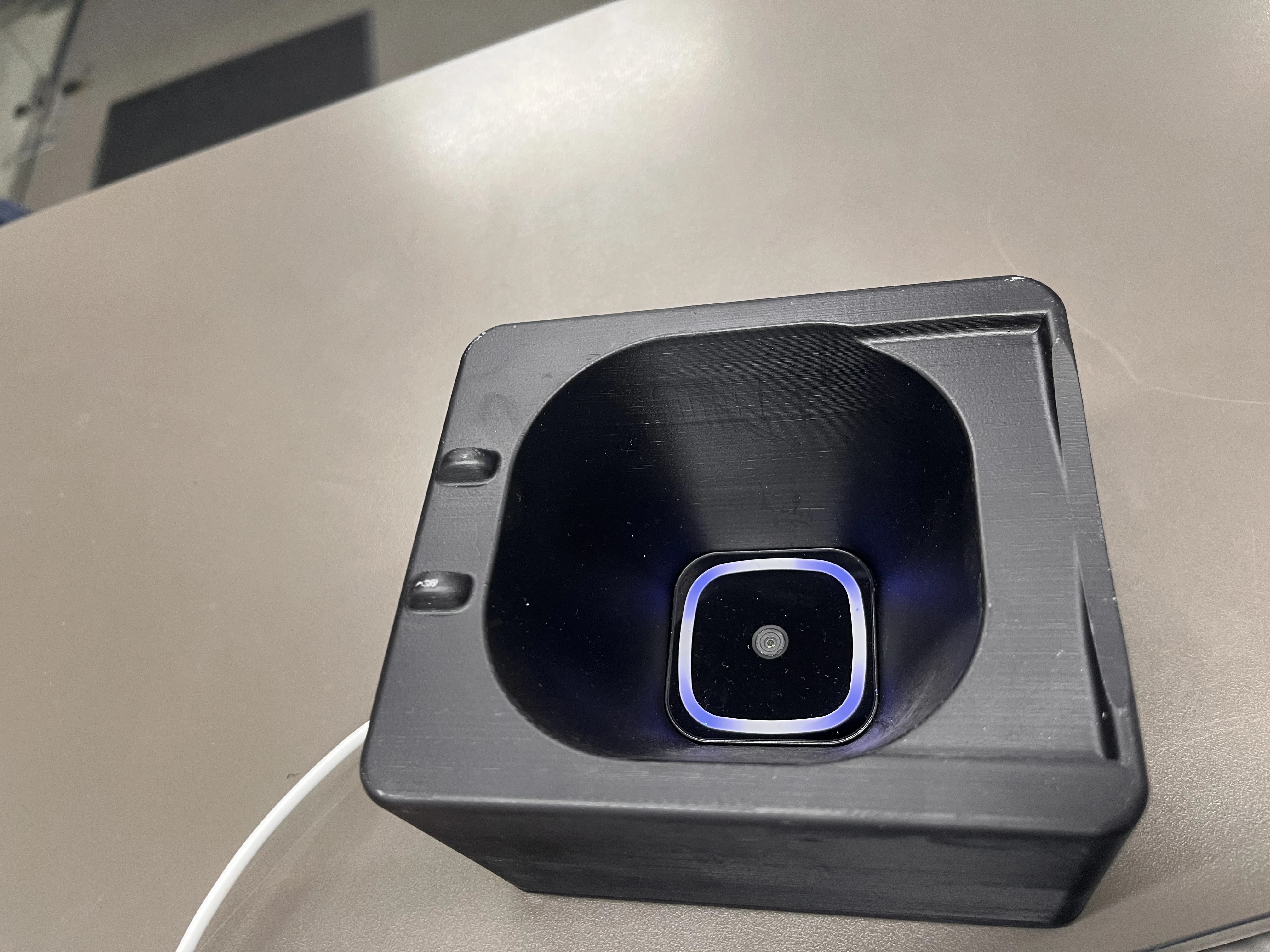
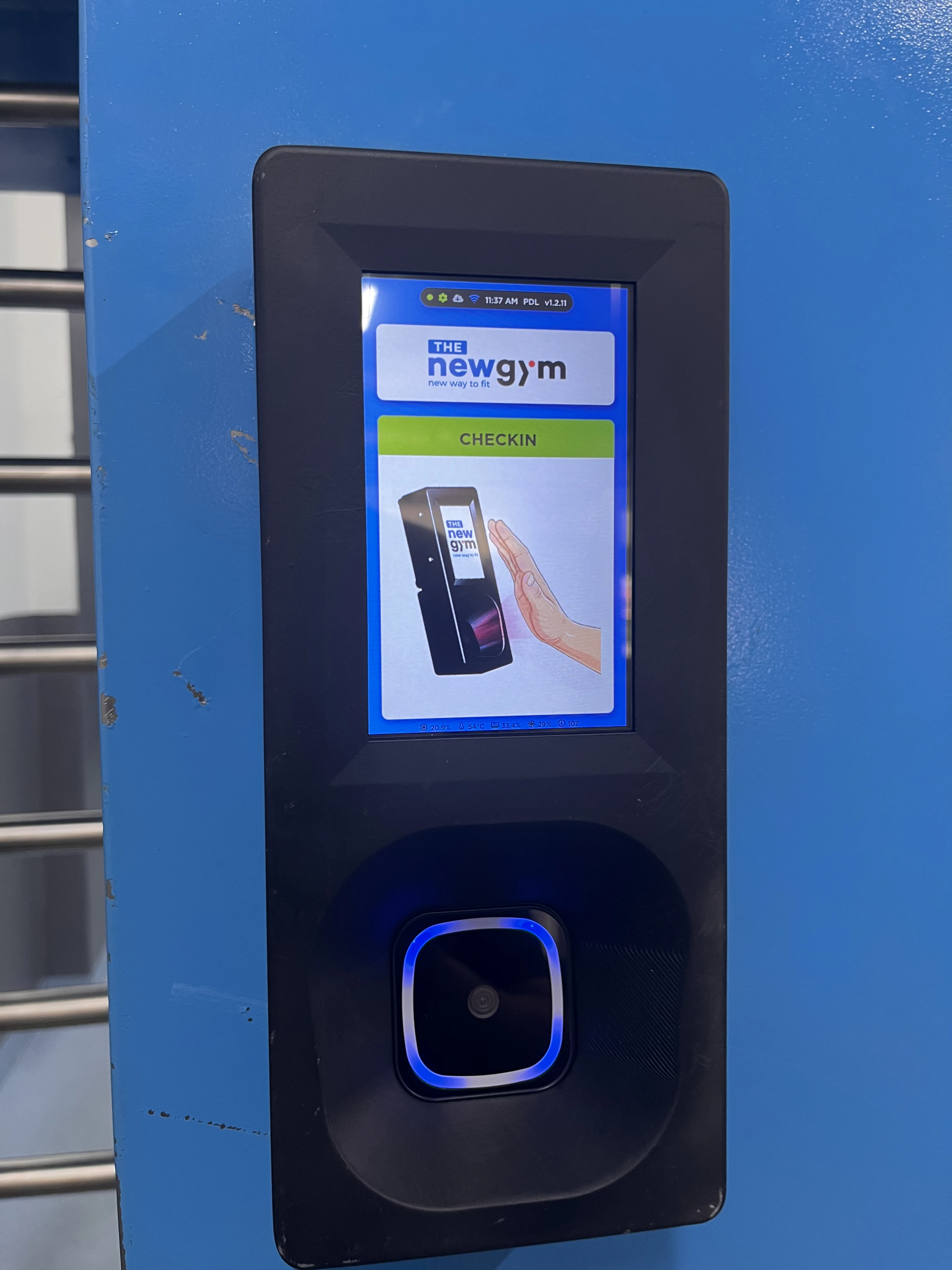
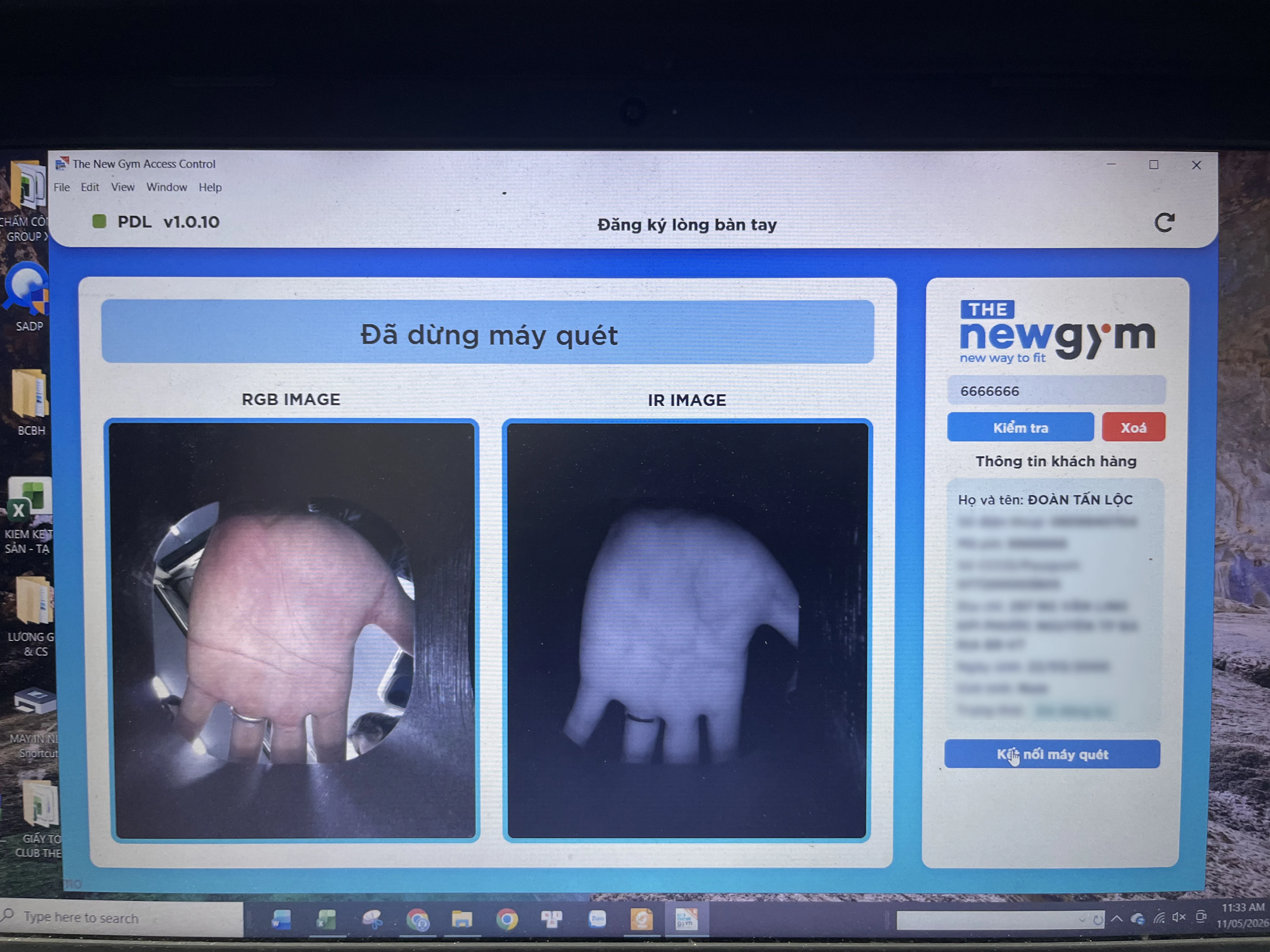
Palm Vein Enrollment — Windows Desktop App
Enrolling a new member is done through a dedicated Windows desktop application. Staff connects the palm vein scanner via USB, searches for the member by account ID, and captures their palm vein pattern. The app shows both RGB and IR images in real time so staff can verify the scan quality before saving.
The enrollment data is then pushed to all devices across branches automatically.
Per-Device Web UI
Each physical device runs its own embedded web server — accessible from any browser on the local network. No central server required for device management.
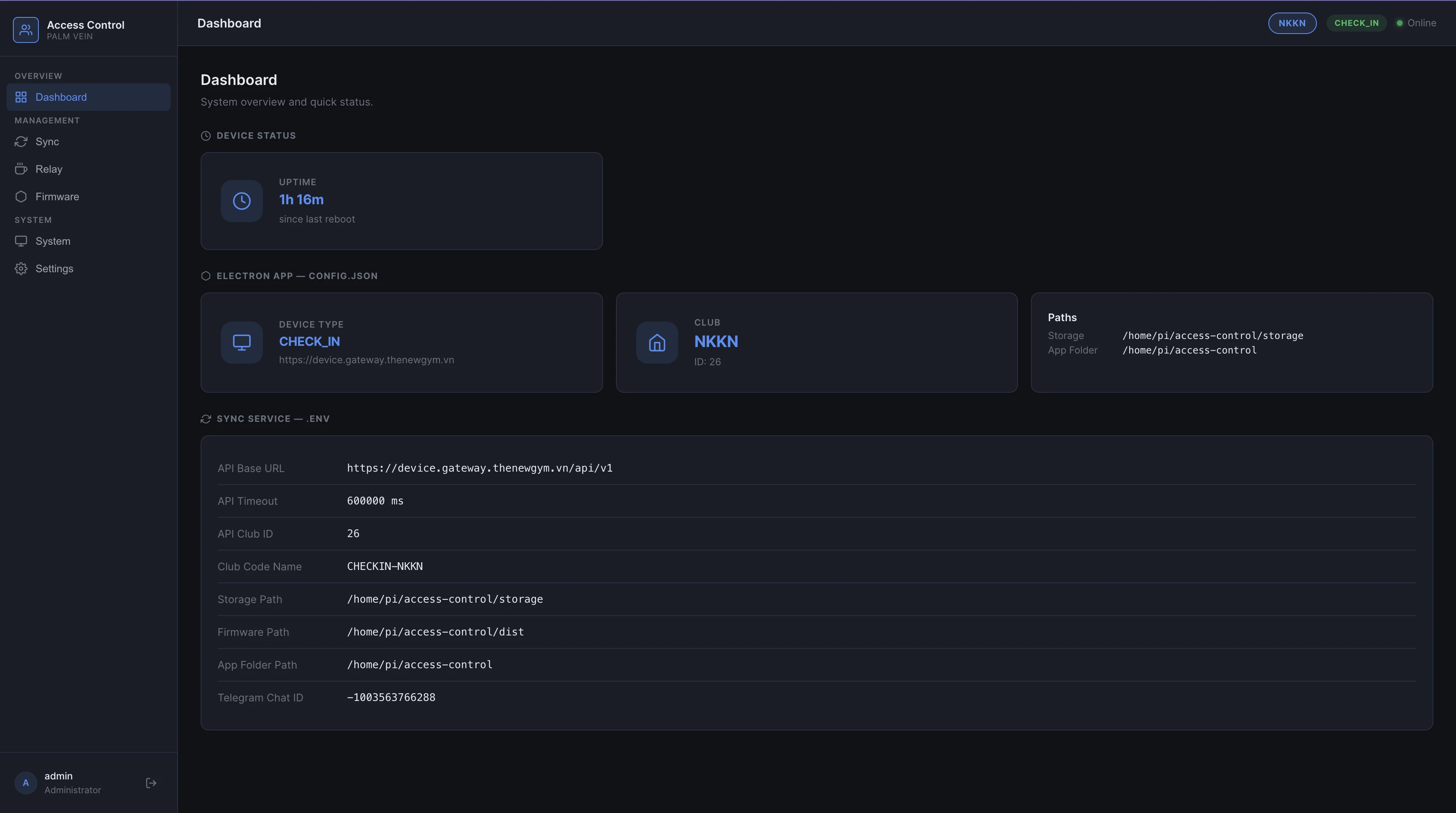
Dashboard
Shows device uptime, device type, club assignment, sync service config, and all file paths at a glance. One screen to confirm the device is healthy and configured correctly.
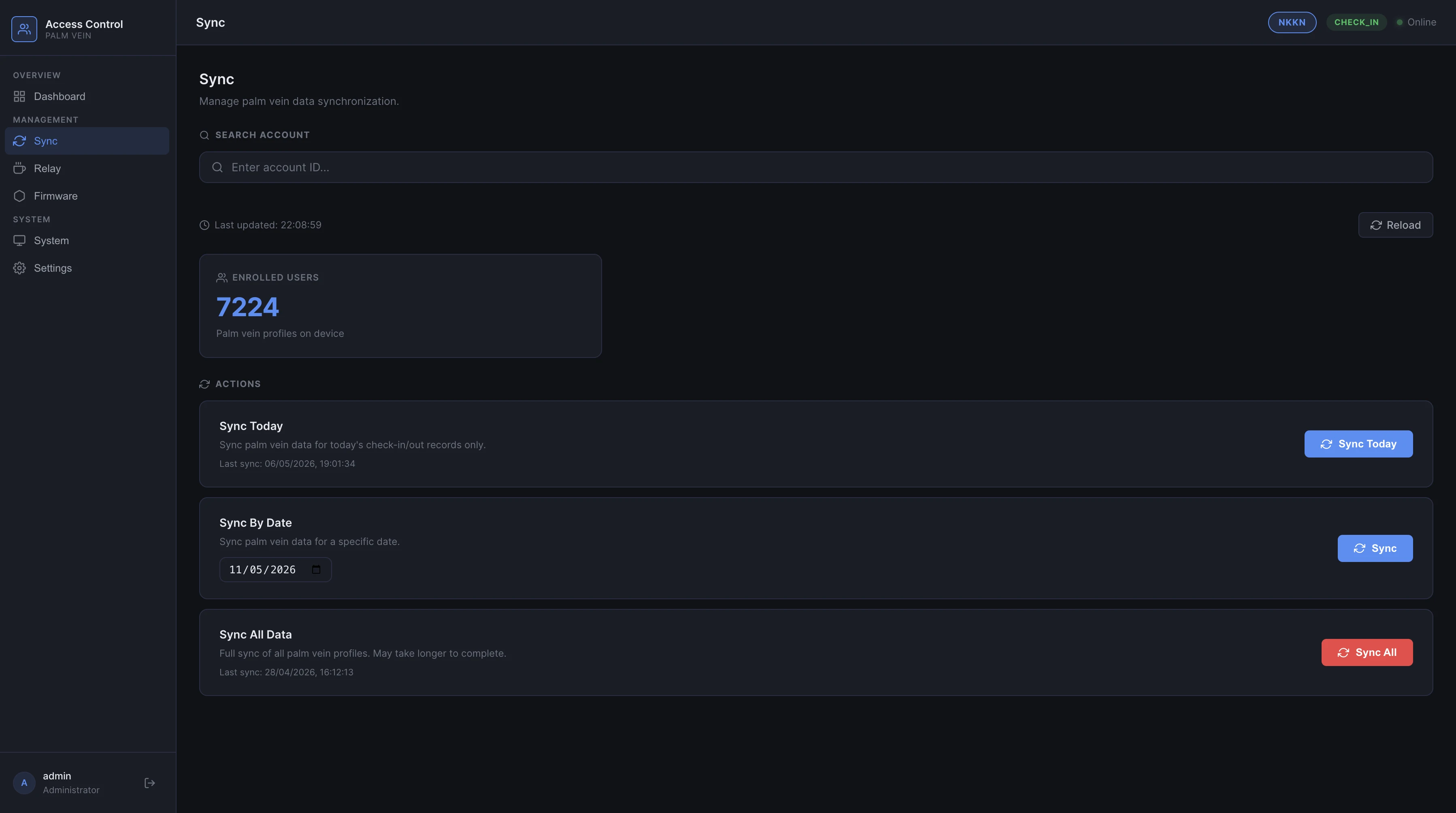
Sync — Multi-branch Data
The sync panel manages palm vein data synchronization between the device and the central server. Staff can trigger a sync for today's check-in records, sync by a specific date, or do a full sync of all 7,224 enrolled profiles currently on the device. Timestamps show the last successful sync.
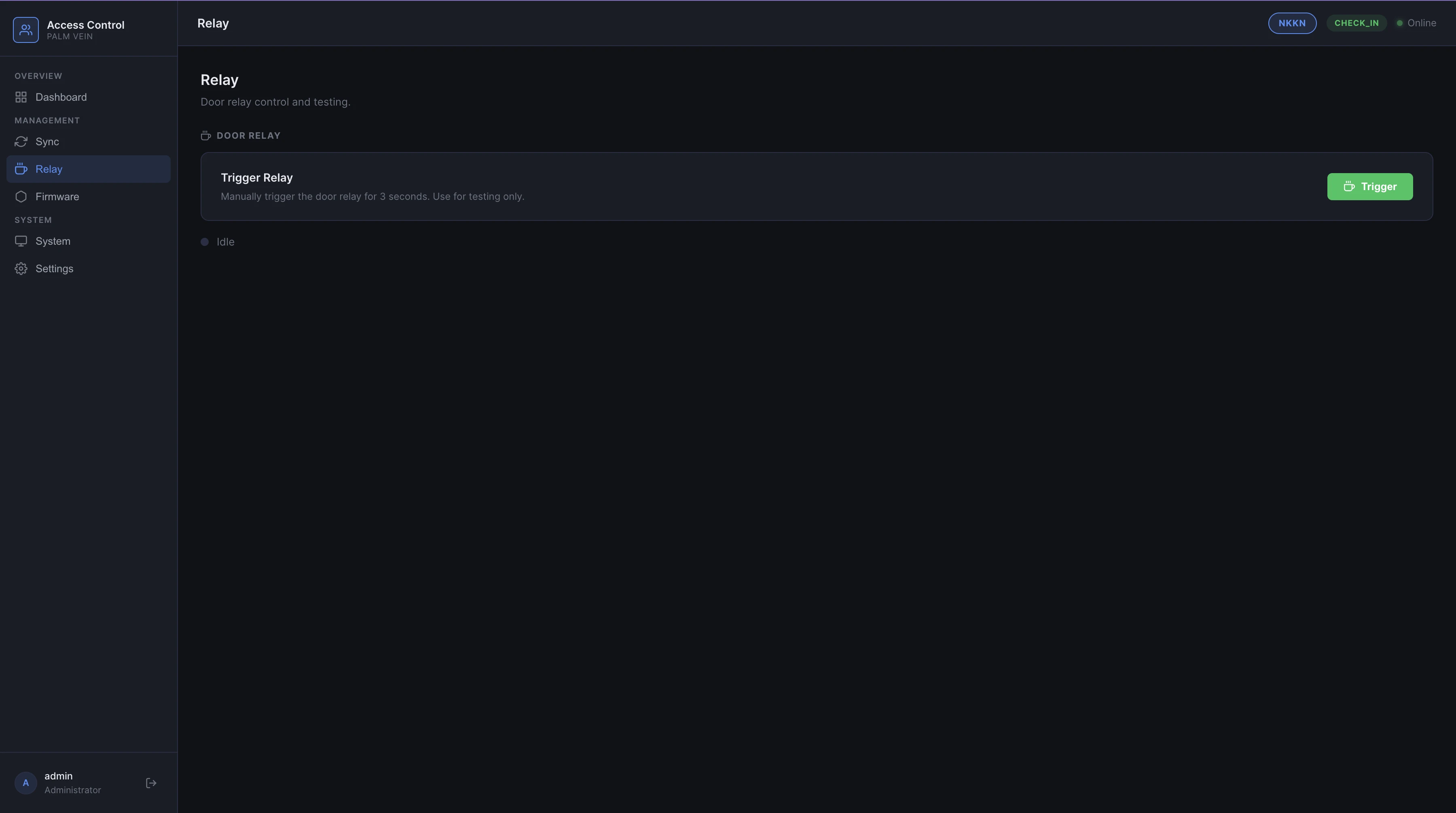
Relay — Door Control
The relay panel lets admins manually trigger the door relay for 3 seconds — useful for testing the physical gate without needing a palm scan. Status shows idle or active in real time.
Firmware — OTA Updates
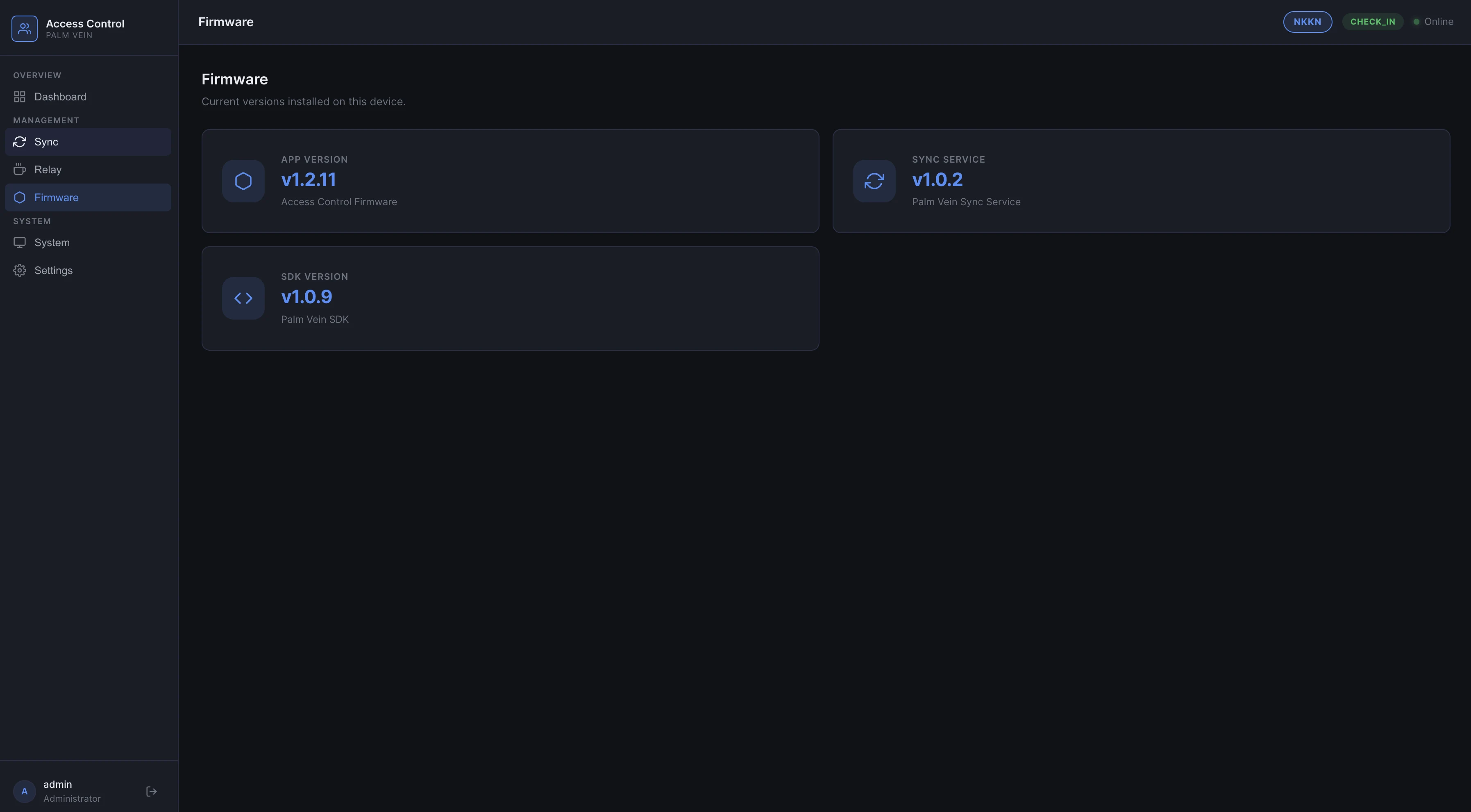
Each device displays its current versions: App, Sync Service, and Palm Vein SDK. Updates are pushed remotely — no need to physically access the device. This keeps all deployed units across branches on the latest build without on-site visits.
System Monitor
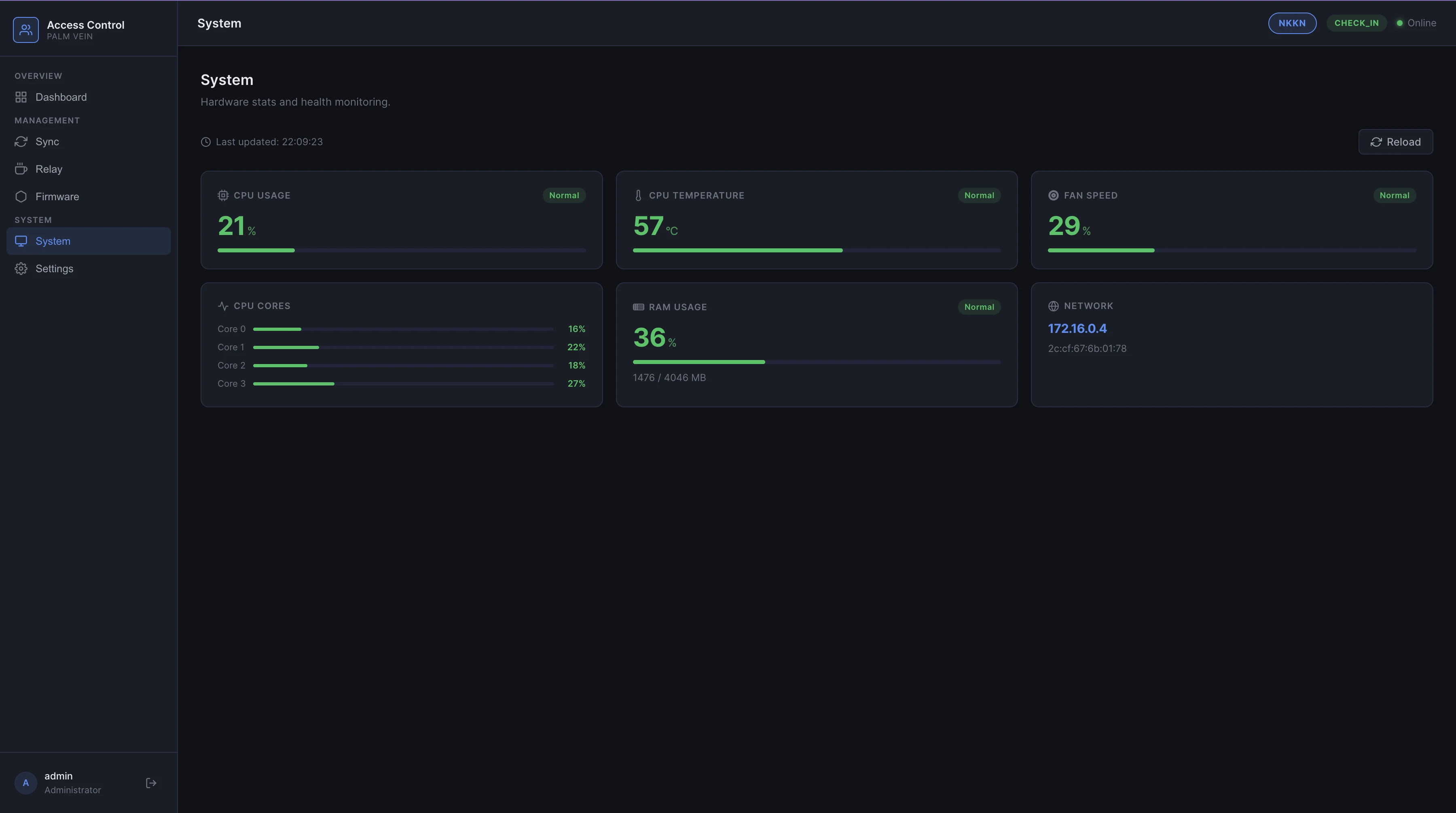
Real-time hardware stats: CPU usage per core, CPU temperature, fan speed, RAM usage, and network IP. All shown as "Normal" status indicators so staff can spot issues at a glance.
Telegram Alerts
Every device is connected to a Telegram channel for real-time monitoring. When anything goes wrong, a notification fires instantly — no need to manually check the web UI.
Alerts are triggered when:
- CPU temperature, RAM usage, or fan speed exceeds threshold
- Device shuts down unexpectedly or loses power
- Any system-level error occurs on the device
This lets me manage all deployed devices across branches remotely — if a device goes offline at 2am, I know immediately.
Key Technical Highlights
- Sub-1s matching across 50,000 palm vein profiles
- 24/7 uptime — engineered to never hang or require manual restart
- Multi-branch sync — enroll once, check in at any branch
- OTA updates — push firmware and SDK updates remotely to all devices
- Embedded web UI — each device is self-contained with its own admin panel
- Windows desktop app — full enrollment flow with real-time RGB + IR preview
- Telegram alerts — instant notifications for hardware anomalies and unexpected shutdowns
