
Most developers know about meta tags and OpenGraph. But there's a third layer of SEO that almost nobody talks about — JSON-LD (JavaScript Object Notation for Linked Data). It's invisible to users, but Google reads it very carefully.
This post explains what JSON-LD is, why it matters, how Google uses it, and how to implement it properly in a Next.js app.
1. What Is JSON-LD?
JSON-LD is a way to embed structured data into your HTML as a <script> tag. It uses the Schema.org vocabulary — a shared language that search engines (Google, Bing, Yahoo) agreed on to describe content types like articles, people, products, and websites.
html
<script type="application/ld+json"> { "@context": "https://schema.org", "@type": "Article", "headline": "What is JSON-LD?", "author": { "@type": "Person", "name": "Doan Tan Loc" } } </script>
This script tag sits in the <head> or <body> — completely invisible to users, but fully readable by search engine crawlers.
JSON-LD vs. Meta Tags vs. OpenGraph
| Meta Tags | OpenGraph | JSON-LD | |
|---|---|---|---|
| Who reads it | Search engines | Social platforms (Facebook, Twitter) | Search engines (Google, Bing) |
| Purpose | SEO basics | Social sharing previews | Rich Results & Knowledge Graph |
| Format | <meta> attributes | <meta property="og:..."> | <script type="application/ld+json"> |
| Complexity | Simple | Simple | Structured, powerful |
All three are complementary — you should use all of them. But JSON-LD is the one that unlocks Rich Results on Google Search.
2. Why Does Google Care About JSON-LD?
Google's goal is to understand the meaning of your content, not just the text. Without structured data, Google has to guess:
- Is this page a blog post or a product page?
- Who wrote this article?
- When was it published?
With JSON-LD, you tell Google directly. This feeds into two important systems:
Rich Results
Rich Results are enhanced search listings — beyond the standard blue link. They can show:
- Article: thumbnail image, author name, publish date directly on SERP
- Breadcrumb: site hierarchy shown below the URL
- FAQ: expandable questions right in the search result
- Product: price, rating, availability
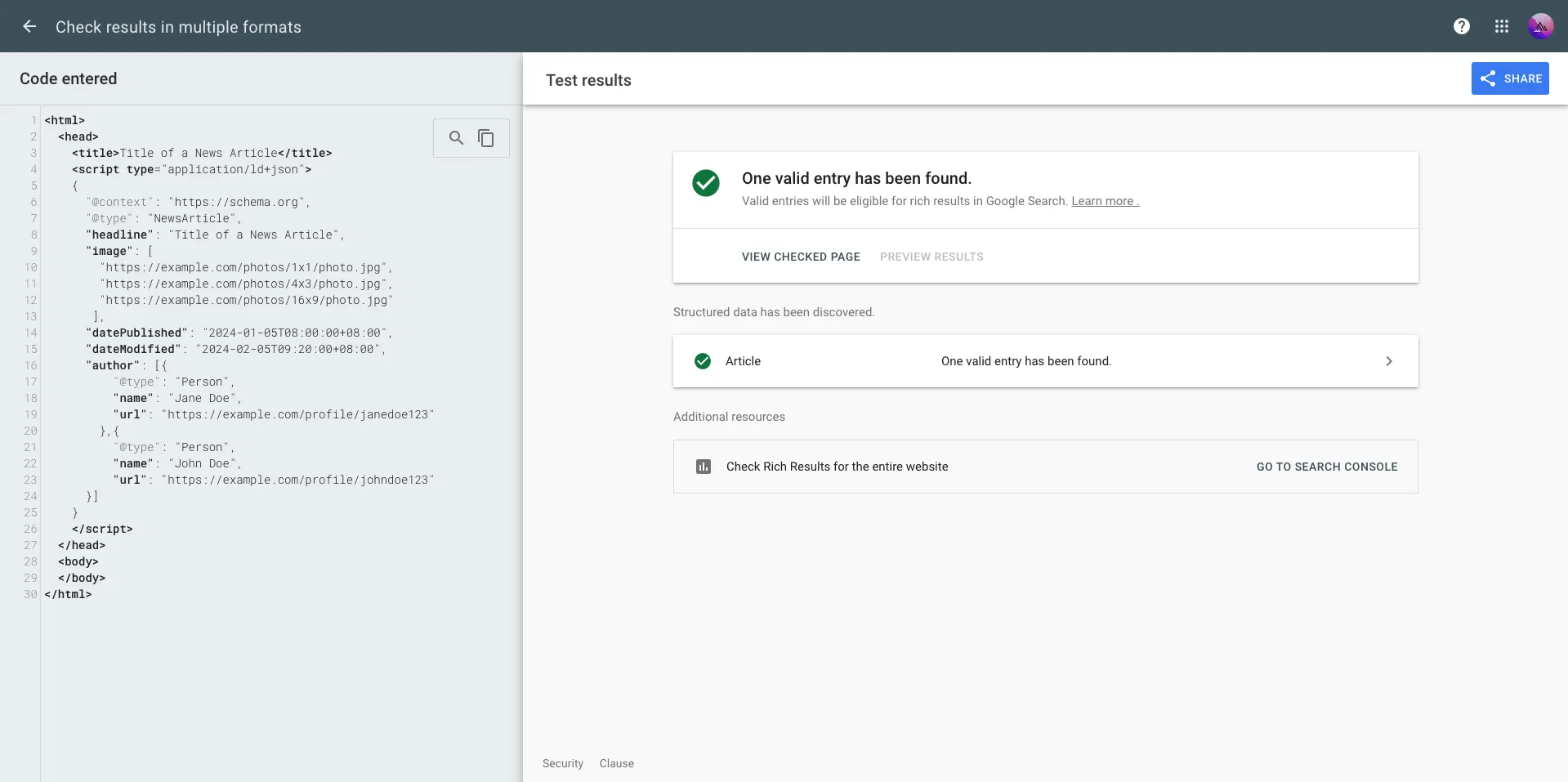
Without JSON-LD, Google Search Console has no structured data to validate — and your site won't appear in any of the Enhancements reports. Here's what it looks like when structured data is missing or incomplete:
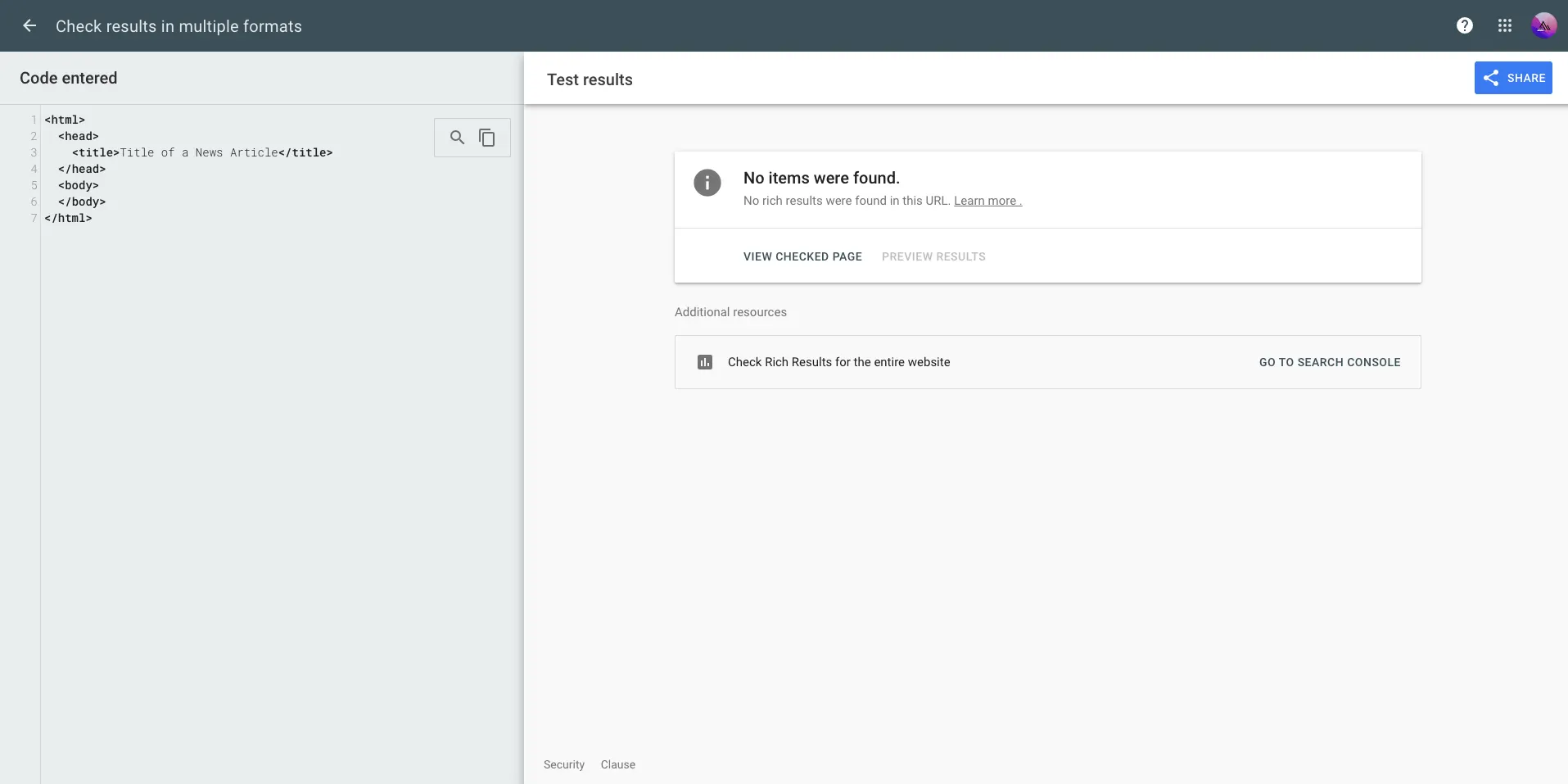
The Enhancements section stays empty — no Article report, no Breadcrumb report, nothing. You're flying blind: Google is indexing your pages but has no structured signal to trigger Rich Results.
Knowledge Graph
Google builds a graph of entities (people, organizations, websites) and connects them. When you declare:
json
{ "@type": "Person", "name": "Doan Tan Loc", "sameAs": [ "https://github.com/DoanTanLoc-2203", "https://linkedin.com/in/doantanloc" ] }
Google links your website to your GitHub and LinkedIn profiles. Over time, this strengthens your E-E-A-T (Experience, Expertise, Authoritativeness, Trustworthiness) — a core Google ranking signal since the Helpful Content Update.
3. Schema.org Types You Actually Need
There are hundreds of schema types, but most websites only need a handful:
@type | Used on | What it unlocks |
|---|---|---|
WebSite | Homepage | Sitelinks search box, site understanding |
Person | Homepage / About | Author credibility, Knowledge Panel |
Article / BlogPosting | Post detail pages | Rich Results with thumbnail + date |
BreadcrumbList | Any page | Breadcrumb trail in search results |
ProfilePage | About page | Structured author profile |
FAQPage | FAQ sections | Expandable FAQ in search results |
4. Implementing JSON-LD in Next.js
Next.js makes this very clean. You render a <script> tag with type="application/ld+json" — no extra libraries needed.
Homepage — WebSite + Person
The homepage is the most important place for JSON-LD. Declare both WebSite and Person using a @graph array so Google can link them together with @id references:
tsx
// src/app/page.tsx const jsonLd = { "@context": "https://schema.org", "@graph": [ { "@type": "Person", "@id": "https://shibadev.asia/#person", name: "Doan Tan Loc", url: "https://shibadev.asia", jobTitle: "Front-end Developer", sameAs: [ "https://github.com/DoanTanLoc-2203", "https://www.linkedin.com/in/doantanloc/", "https://www.youtube.com/@dotaro-2203", ], }, { "@type": "WebSite", "@id": "https://shibadev.asia/#website", url: "https://shibadev.asia", name: "ShibaDEV", author: { "@id": "https://shibadev.asia/#person" }, }, ], }; export default function HomePage() { return ( <> <script type="application/ld+json" dangerouslySetInnerHTML={{ __html: JSON.stringify(jsonLd) }} /> <HomePageContainer /> </> ); }
The @id pattern is the key — it tells Google that the author of WebSite is the same entity as the Person you declared. This is how the Knowledge Graph links things together.
Post Detail — Article
Post pages are where JSON-LD has the most visible impact. A proper Article schema can get your post displayed with a thumbnail and date directly on Google Search:
tsx
// src/app/post/[postId]/page.tsx export default async function PostDetailPage({ params }) { const post = getPostById(params.postId); const jsonLd = { "@context": "https://schema.org", "@type": "Article", headline: post.title, description: post.description, image: post.thumbnailSrc, datePublished: new Date(post.createdAt * 1000).toISOString(), dateModified: new Date(post.lastModified * 1000).toISOString(), url: `https://shibadev.asia/post/${post.id}`, inLanguage: "en", author: { "@type": "Person", name: "Doan Tan Loc", url: "https://shibadev.asia", }, publisher: { "@type": "Organization", name: "ShibaDEV", url: "https://shibadev.asia", logo: { "@type": "ImageObject", url: "https://shibadev.asia/assets/logo/512.png", }, }, }; return ( <> <script type="application/ld+json" dangerouslySetInnerHTML={{ __html: JSON.stringify(jsonLd) }} /> <PostDetailContainer postId={params.postId} postContent={fileContents} /> </> ); }
Key fields Google requires for Article Rich Results:
headline— the article titleimage— thumbnail URL (minimum 1200×630px recommended)datePublished— ISO 8601 formatauthor— with name and URL
About Page — ProfilePage + Person
The About page reinforces author identity. Use ProfilePage wrapping a detailed Person entity:
tsx
// src/app/about/page.tsx const jsonLd = { "@context": "https://schema.org", "@type": "ProfilePage", url: "https://shibadev.asia/about", mainEntity: { "@type": "Person", "@id": "https://shibadev.asia/#person", name: "Doan Tan Loc", jobTitle: "Front-end Developer", description: "Front-end Developer passionate about React, Next.js, and TypeScript.", knowsAbout: ["React", "Next.js", "TypeScript", "Docker", "Web3"], sameAs: [ "https://github.com/DoanTanLoc-2203", "https://www.linkedin.com/in/doantanloc/", ], }, };
Notice the "@id": "https://shibadev.asia/#person" — this is the same ID used on the homepage. Google will merge these two declarations into a single entity in its Knowledge Graph.
5. How Google Processes JSON-LD (Under the Hood)
Understanding the flow helps you write better structured data:
Your page renders
      │
      ▼
Googlebot crawls HTML
      │
      ▼
Finds <script type="application/ld+json">
      │
      ▼
Parses JSON against Schema.org vocabulary
      │
      ├──► Validates required fields
      │         (headline, image, datePublished for Article)
      │
      ├──► Resolves @id references
      │         (links Person on /about to Person on /)
      │
      └──► Decides eligibility for Rich Results
               (if all required fields present → eligible)
Google's Rich Results Test tool lets you check eligibility before going live.
6. Common Mistakes to Avoid
❌ Putting JSON-LD in a Client Component
In Next.js App Router, if your page component has "use client", the <script> tag with JSON-LD still renders — but only on the client side. Google may or may not execute JavaScript. Always place JSON-LD in Server Components (no "use client" directive):
tsx
// ✅ Good — Server Component export default function PostDetailPage() { return ( <> <script type="application/ld+json" ... /> <PostDetailContainer /> {/* Client Component inside is fine */} </> ); }
❌ Mismatching Schema and Visible Content
If your Article schema says datePublished: "2024-01-01" but the page shows "Published: March 2025", Google may penalize for misleading structured data.
❌ Skipping the image field on Article
Without image, your article is ineligible for the thumbnail-style Rich Result. It still gets indexed, but won't have the visual enhancement.
❌ Using dangerouslySetInnerHTML with unsanitized user content
If any field (like headline or description) comes from user input, sanitize it before embedding. JSON-LD is inside a script tag — injecting raw user content is an XSS risk.
tsx
// ✅ Safe — content comes from your own constants, not user input dangerouslySetInnerHTML={{ __html: JSON.stringify(jsonLd) }}
7. Verify with Google's Rich Results Test
After deploying, validate your structured data:
- Go to Rich Results Test
- Enter your page URL — for example:
https://shibadev.asia/post/how-to-run-an-appimage-automatically-at-boot-on-raspberry-pi - Google will show which Rich Results your page is eligible for
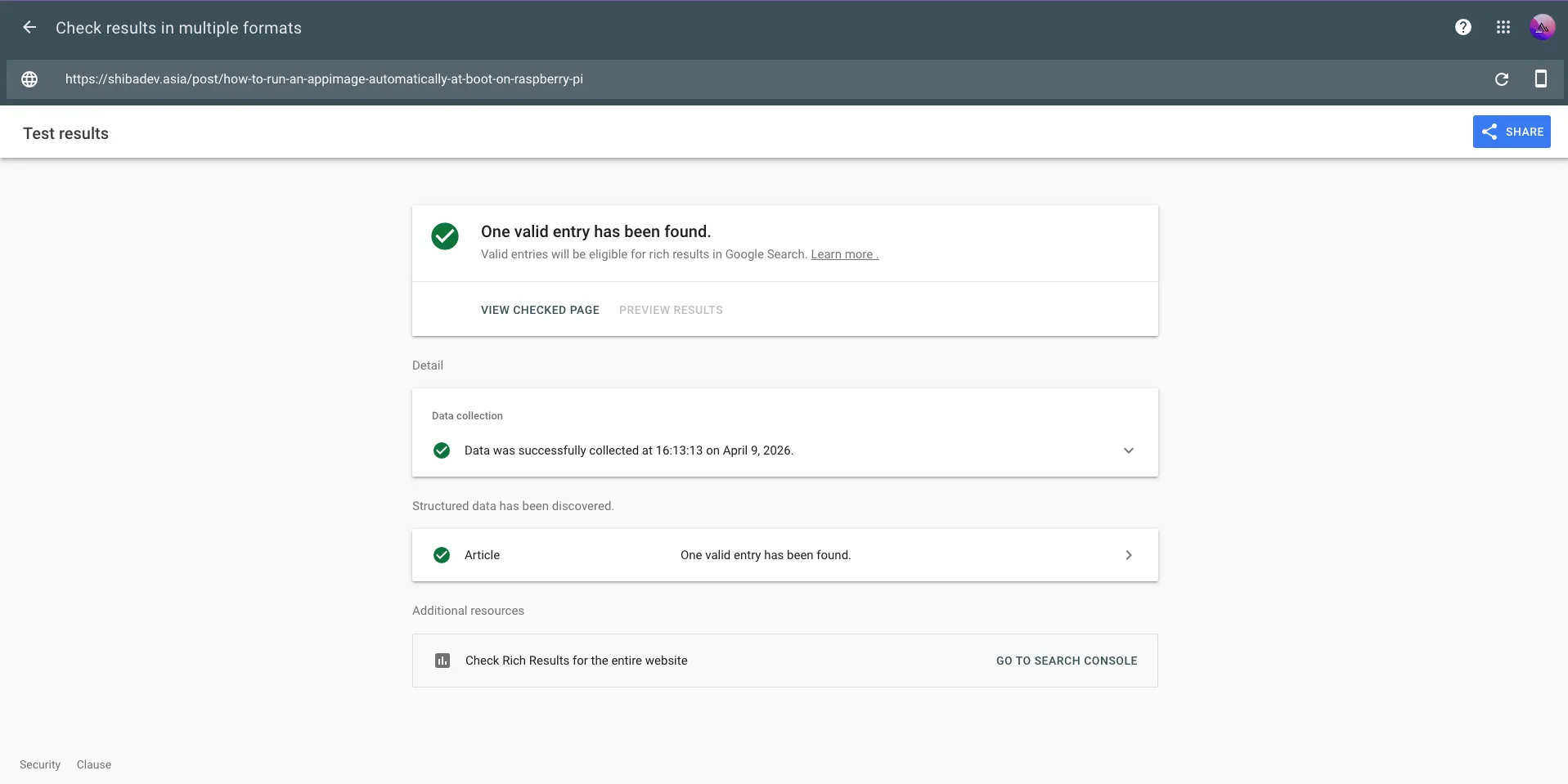
You can also use Google Search Console → Enhancements to monitor structured data health across all pages after indexing.
8. Conclusion
JSON-LD is one of those low-effort, high-leverage investments in SEO. You write it once, it runs silently in the background, and over time it builds Google's understanding of who you are and what your content is about.
Priority order for most blogs and personal sites:
- Homepage —
WebSite+Person(establishes site identity and author) - Post detail pages —
Article(highest visible impact via Rich Results) - About page —
ProfilePage+Person(reinforces author E-E-A-T)
That's it. No extra packages, no complex setup — just a JSON object in a script tag, placed in a Server Component.

